Enable Social Sharing for Your Flipbook
When you publish a flipbook, you may want readers to share it easily. Instead of copying and manually sending links, social sharing lets users share your publication across platforms like Facebook, X (Twitter), and LinkedIn.
With FlowPaper, you can enable a built-in sharing button that makes it easy for readers to share your publication directly.
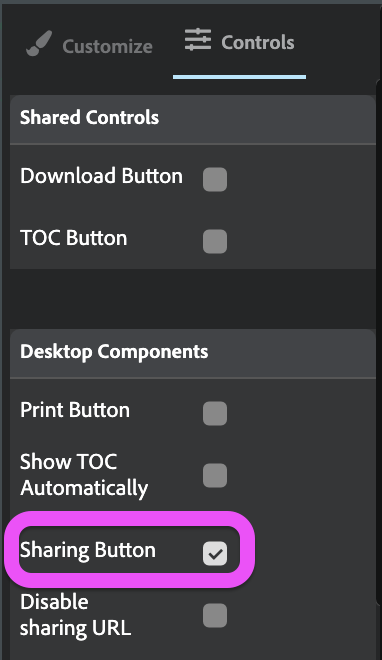
How to enable the sharing button in FlowPaper
1) Open your publication in the Desktop Publisher
2) Go to Controls in the right panel
3) Find the Sharing button option
4) Make sure it is enabled
If you disable this option, the sharing button will not appear in your published publication.
Where users can find the sharing button
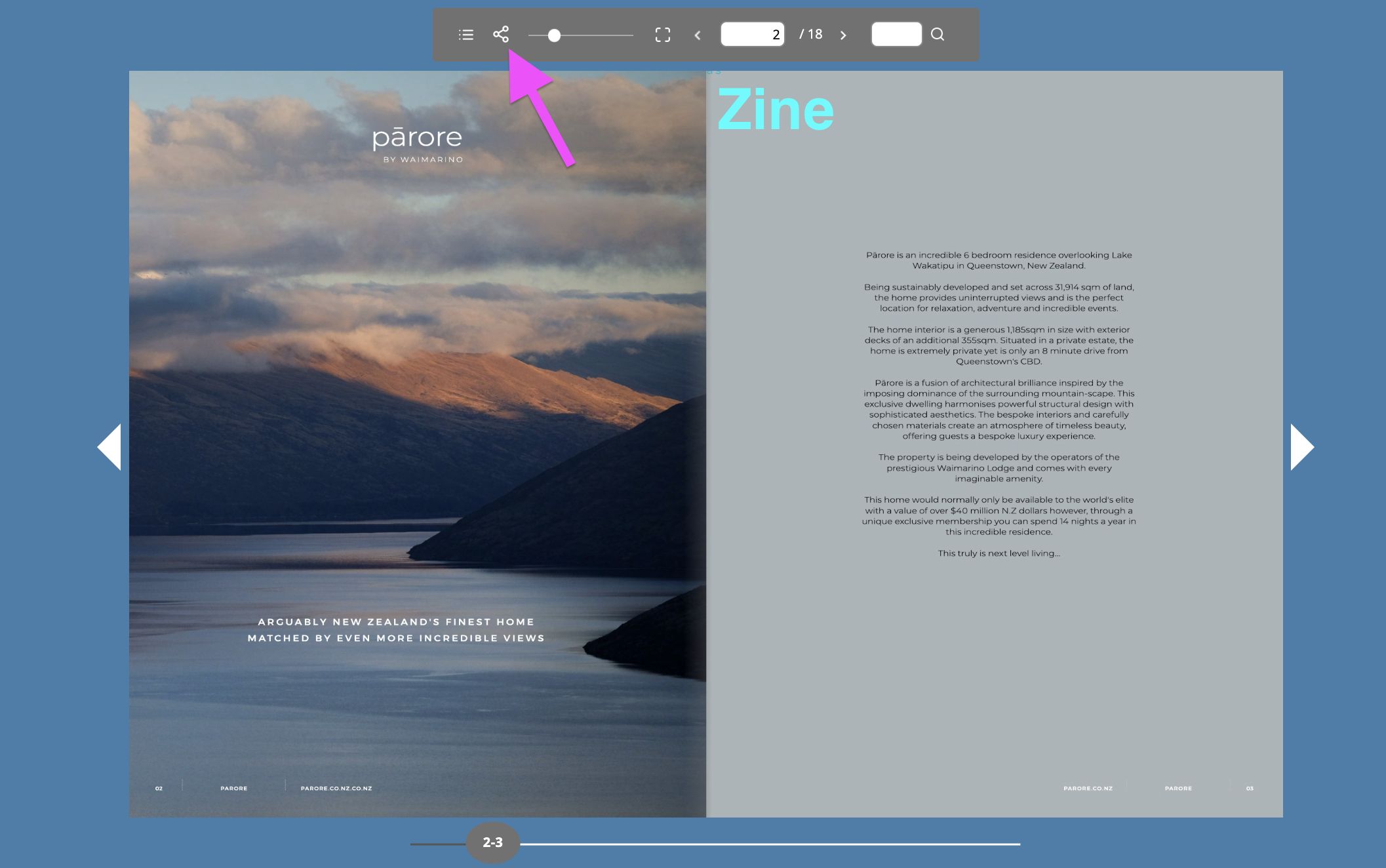
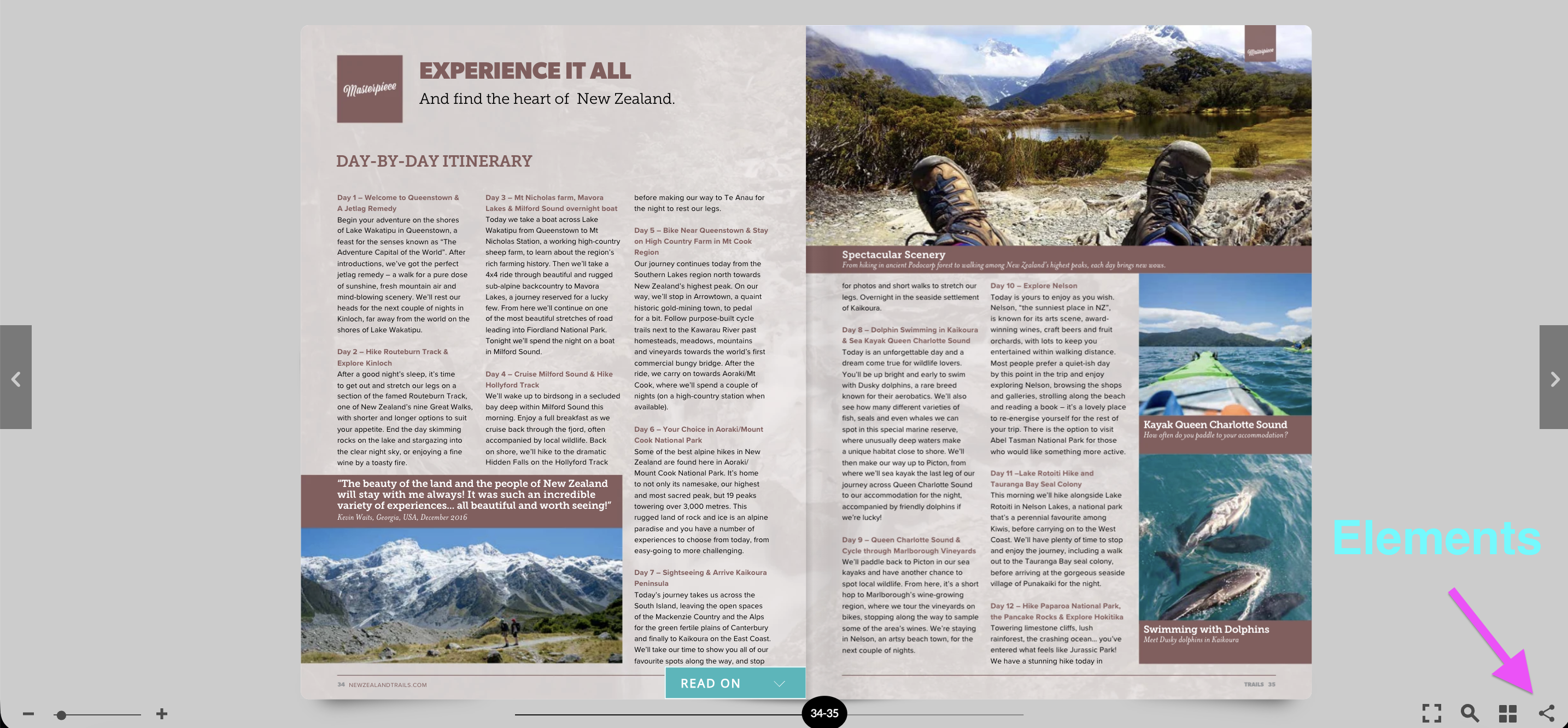
The location of the sharing button depends on the template you use:
-
In the Zine template, the sharing button appears in the toolbar above the publication
-
In the Elements template, the sharing button appears in the bottom-right corner
Related tutorials
Replace a Page in a PDF Without Losing Changes
How to Add More Content to a PDF Without Changing the Layout