Flipbook Video Maker: From PDF to MP4
Promoting a PDF online can be difficult when a static image does not show the full experience. A flipbook promo video highlights motion, 3D page turns, and key marketing messages.
FlowPaper Flipbook Maker lets you generate an MP4 promo video from an imported PDF, so you can create campaign and social content without separate video editing tools.
Creating a video file only takes a few clicks. The example below was created with the built-in video creator.
How to convert your PDF document into a flipbook video
1. Import your PDF and review the design
Start by importing your PDF and reviewing the design settings in the Zine template. The generated video uses the same visual settings as your publication, including backgrounds, colors, and styling. Adding a background can improve the realism of the final promo video and make the result look more polished.
2. Publish and upload your flipbook
Before you can generate the video, the publication needs to be uploaded to FlowPaper Cloud. Click Publish, choose Cloud Hosted, and Start upload.
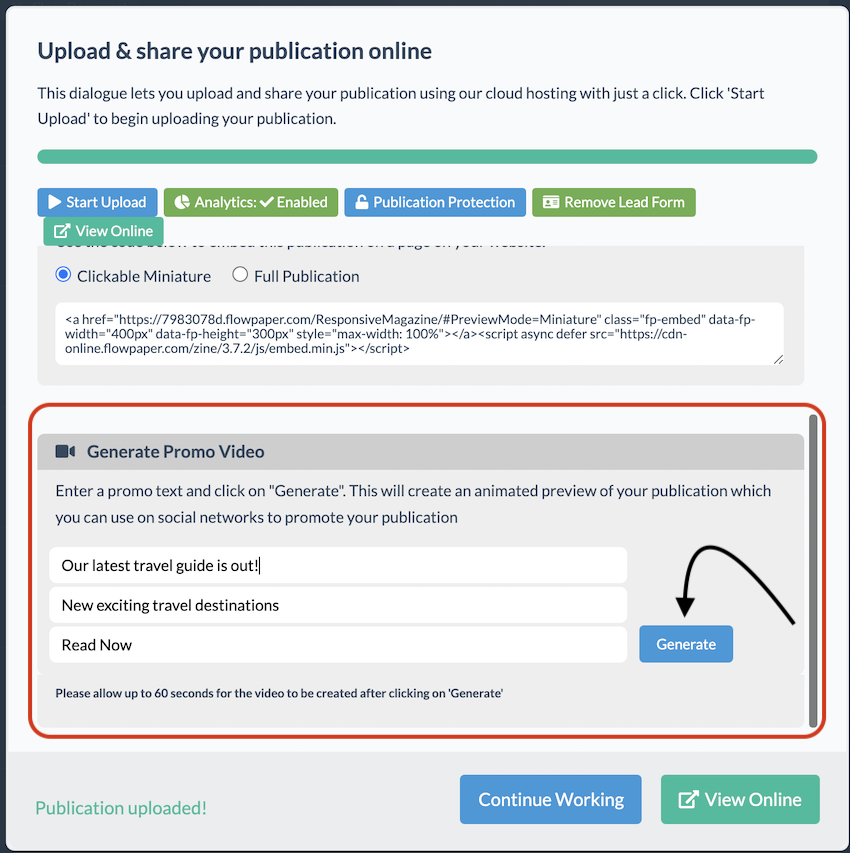
3. Generate the video
Once the publication has been uploaded, scroll down in the publishing dialog to find the video settings. You can add up to three short text messages to appear in the promo video, and any of the fields can be left blank. The final message is shown at the end of the video for the longest duration, which makes it a good place for your main call to action.
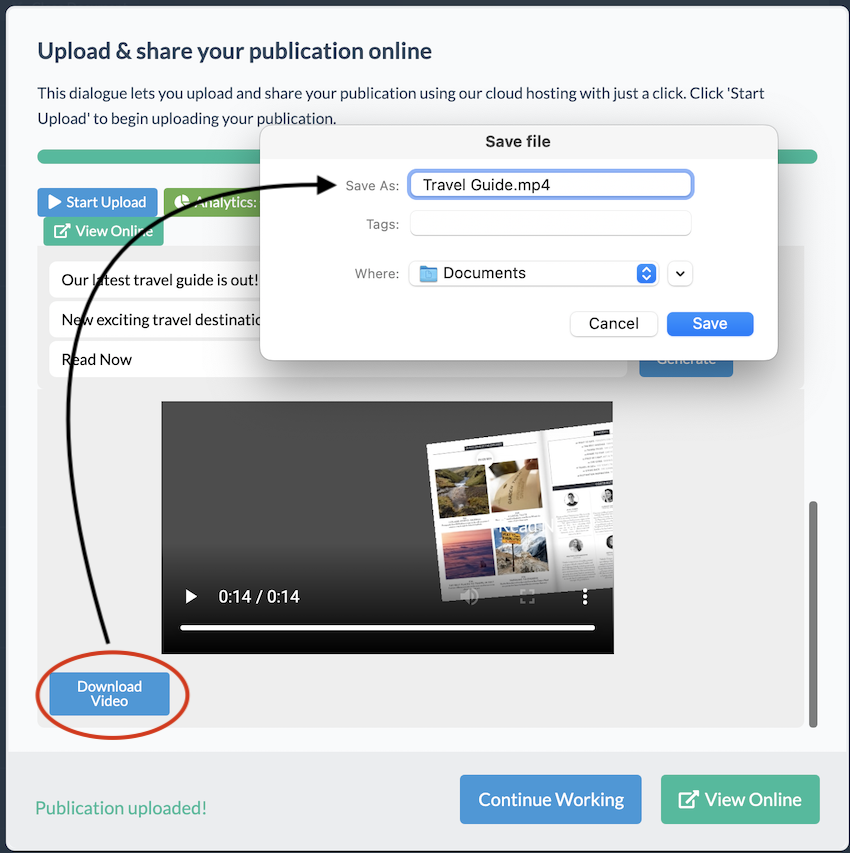
Click Generate and FlowPaper will create an MP4 video that you can download to your computer. You can then use the file in social media posts, marketing campaigns, or embed it on your website like any other MP4 video.
Learn more
How to Animate Text, Headers, and Pages in a PDF