Flatten and Compress PDF Documents for Faster Web Viewing
PDF documents often contain complex structures such as layers, embedded fonts, vector graphics, and high-resolution images. While ideal for print, they can slow loading and rendering when published online.
FlowPaper’s Desktop Publisher includes built-in PDF flattening and compression tools designed to optimize documents specifically for fast, smooth web viewing.
How FlowPaper optimizes PDFs for web publishing
Unlike generic PDF compression tools, FlowPaper optimizes documents specifically for interactive web publishing.
Key benefits include:
-
Faster page rendering in browsers
-
Reduced file sizes without sacrificing readability
-
Improved performance for large and complex documents
-
Seamless integration with FlowPaper’s online viewer
This makes it especially useful for publishers, marketers, and teams delivering content at scale.
Step-by-step setup
To optimize your document:
1) Open the Desktop Publisher
2) Import your PDF
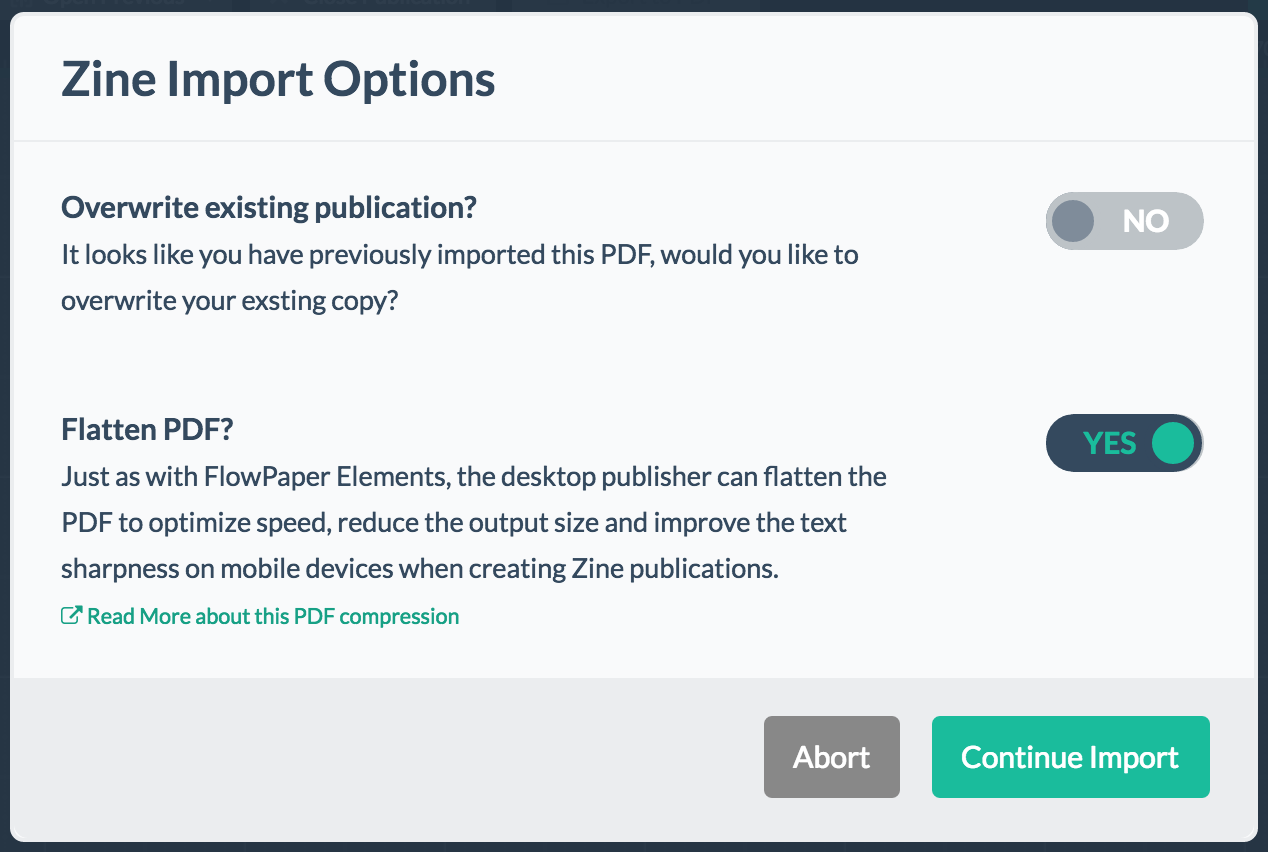
3) Enable the Flatten PDF option
4) Publish or export your document
If you already have an existing publication, simply re-import the PDF with flattening enabled to apply optimization.
Important considerations
Flattening improves performance by simplifying the document structure, but in very complex files, it may slightly affect layout or text positioning. These changes are usually minor, but it’s still recommended to review the final result after processing to ensure everything appears as expected.
Next steps
Add animations to make your content more dynamic