How to Create Interactive PDFs and Flipbooks Online
An online interactive PDF is a type of document that allows the user to interact with the content in a variety of ways. Unlike a regular PDF, the online publication lets the user browse through the publication in more engaging ways than what is offered as a PDF.
Publishing using FlowPaper begins with with a simple PDF document. FlowPaper is available as a online publisher as well as installable software for Mac and PC.
There are no programming skills required to convert your publications as a interactive online document. Go from a simple, flat PDF file to a fully interactive flipbook with links, videos and images that works anywhere you want to share it.
How to convert your document into an interactive PDF
1. Upload Your PDF
Upload your PDF file to Flowpaper to begin editing.
2. Choose a Template
Select a layout that defines how your publication looks and behaves.
3. Customize and Add Interactivity
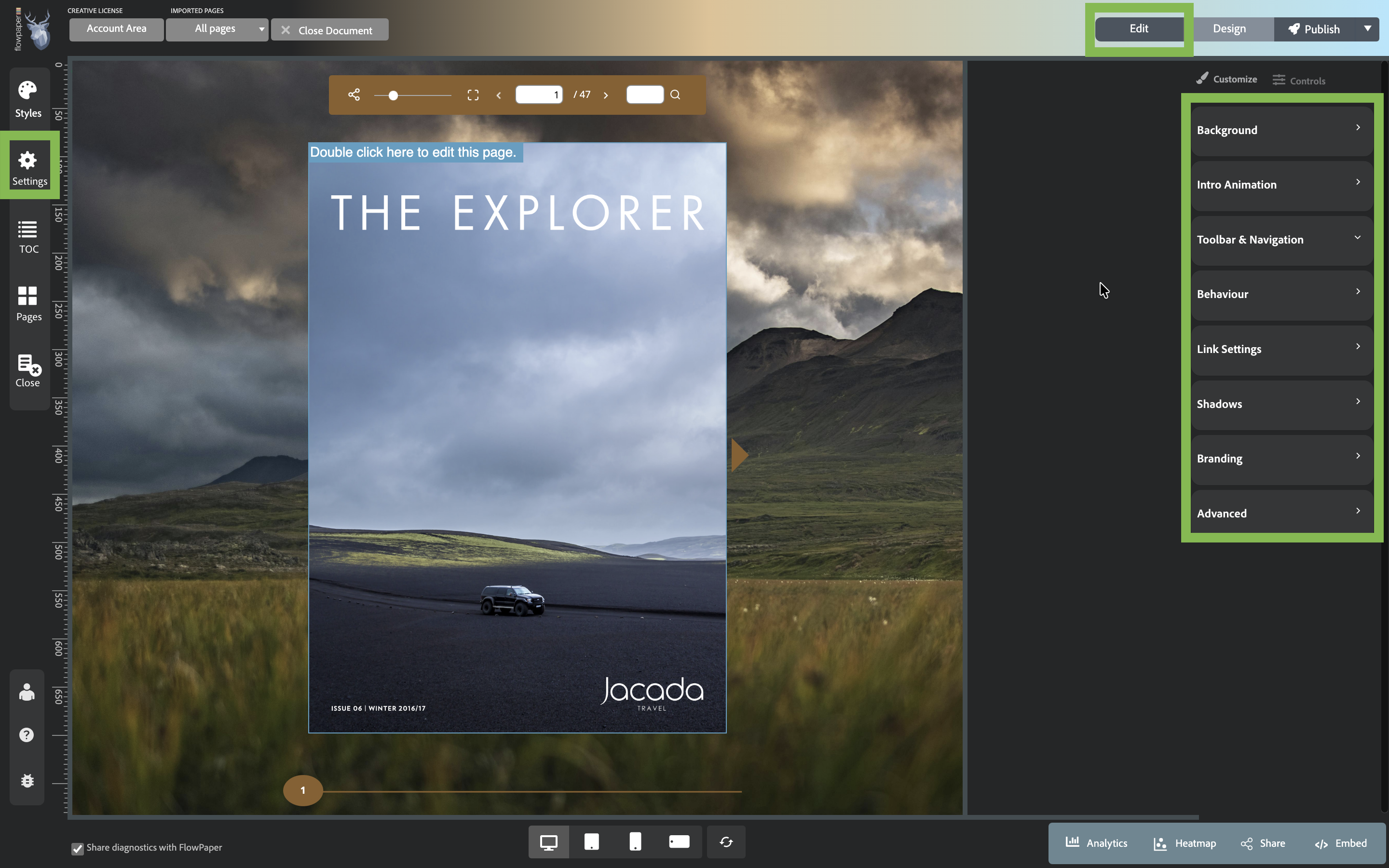 After uploading your PDF, you’ll see the editor interface divided into three main areas:
Settings (left): Configure how your publication behaves, including print options, SEO and analytics, zoom and navigation, and output settings
Customize&Controls (right): Adjust layout, branding, animations, and viewer controls
Edit mode (above Customize): Add interactive elements such as links, hotspots, images, and videos.
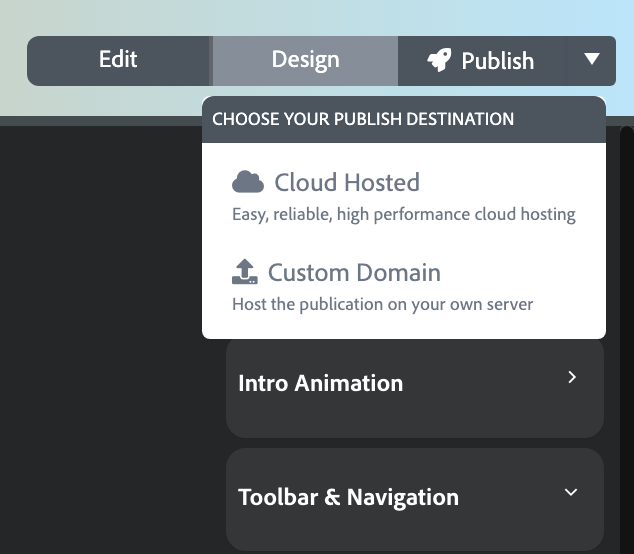
4. Publish Your Document
Click Publish in the top right and choose where to host your document:
- Flowpaper Cloud (quick setup)
- Your own domain (self-hosting) Share the link or embed the publication on your site.
FAQ
Do I need coding skills?
No, FlowPaper is code-free.
Are flipbooks mobile-friendly?
Yes, all publications are responsive.
Can I embed my flipbook?
Yes, you can share or embed it anywhere.
Create a free FlowPaper account to get started or see more guides.